You can use the Advanced Search page to limit your results to a specific country. This is a great feature, as it allows you to also use other filters and operators as well.
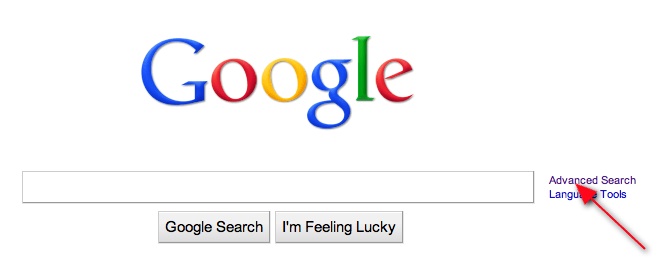
First, click on the link to the Advanced Search page.
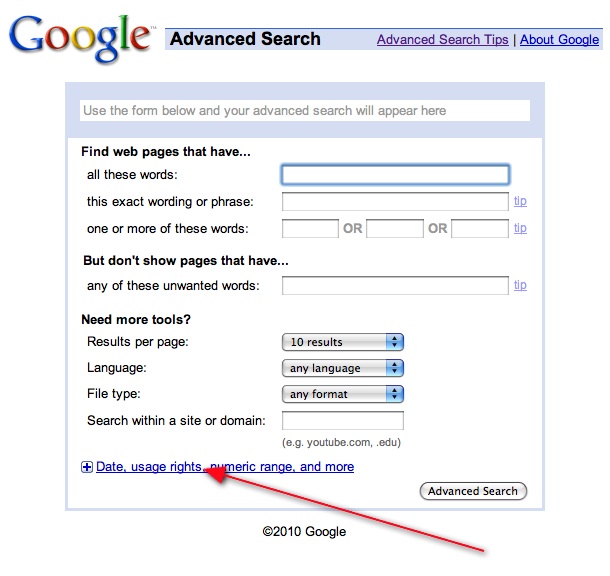
Then, expand the Advanced Search page to find more search options.
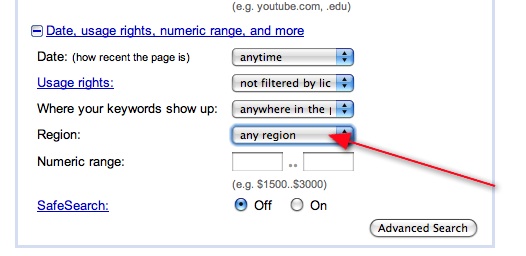
Next, select the region option.
Finally, select the country you want to limit your results to.
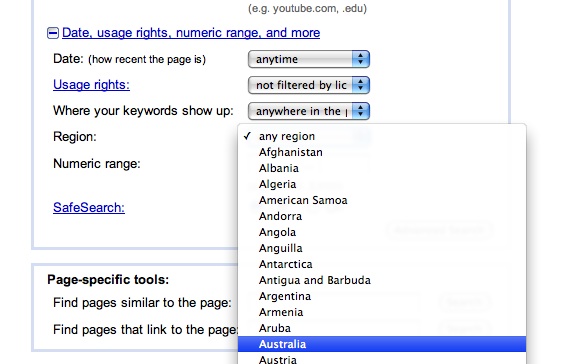
For example, you can compare Microsoft Office to Google Apps and get results limited to Australia. This is a great way to learn more about what the locals are thinking. Click here to see the results.


 Posts
Posts


No comments:
Post a Comment